ELEMENT | 08
Freediving Performance System
Build custom breath hold and breathwork sessions, track your SpO2 with a Bluetooth oximeter, import dive computer logs, and analyze your performance over time.
Freediving Performance System
Build custom breath hold and breathwork sessions, track your SpO2 with a Bluetooth oximeter, import dive computer logs, and analyze your performance over time.
Export a backup from the app, drop the file into the web analyzer, and explore your training across seasons: cross-cut by mode, build custom charts, compare dives side by side. Runs entirely in your browser. Your data never leaves your machine.
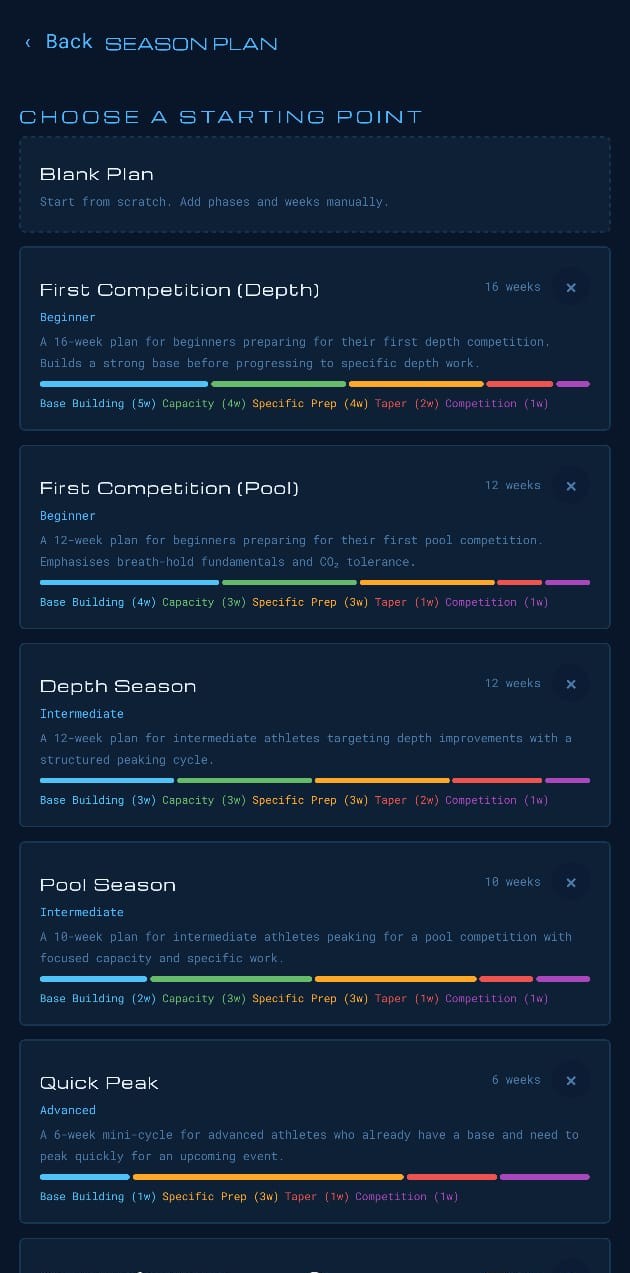
Create training and season plans in your browser, assign them to your athletes, and follow their progress as they train. No spreadsheets, works on any device.
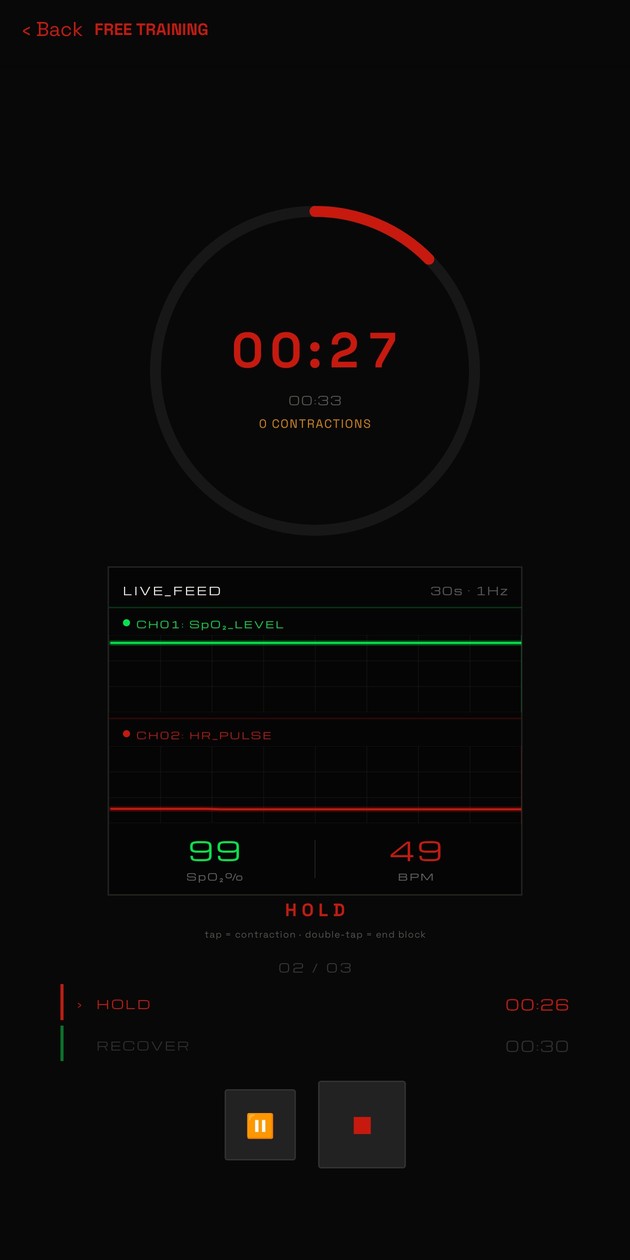
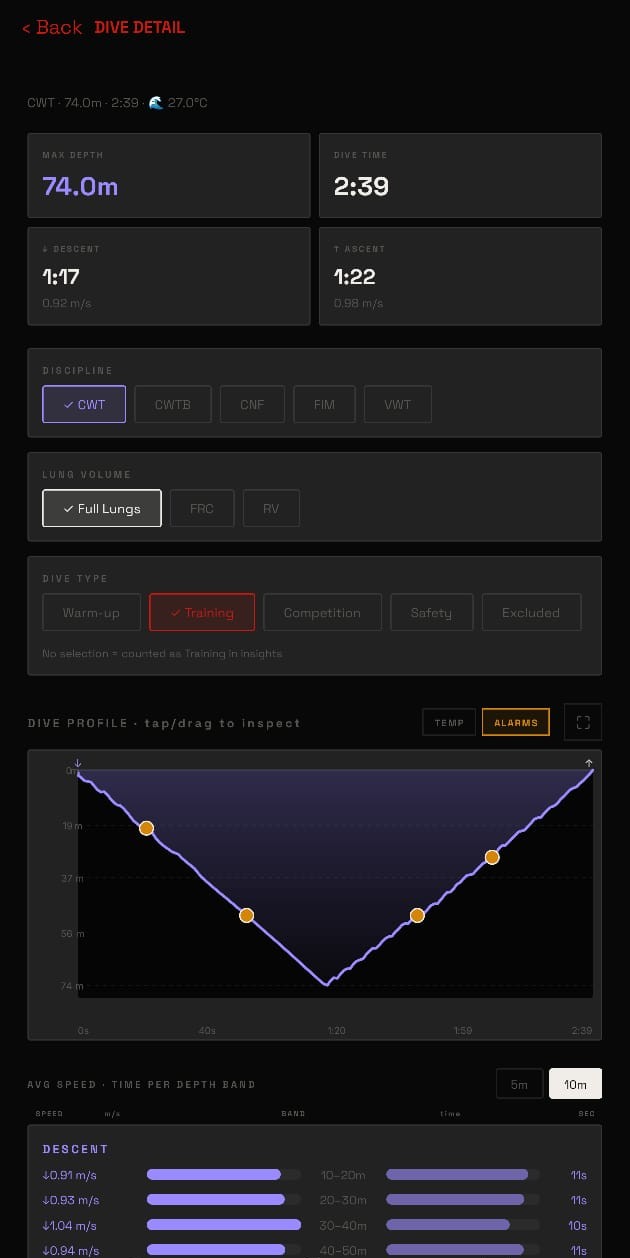
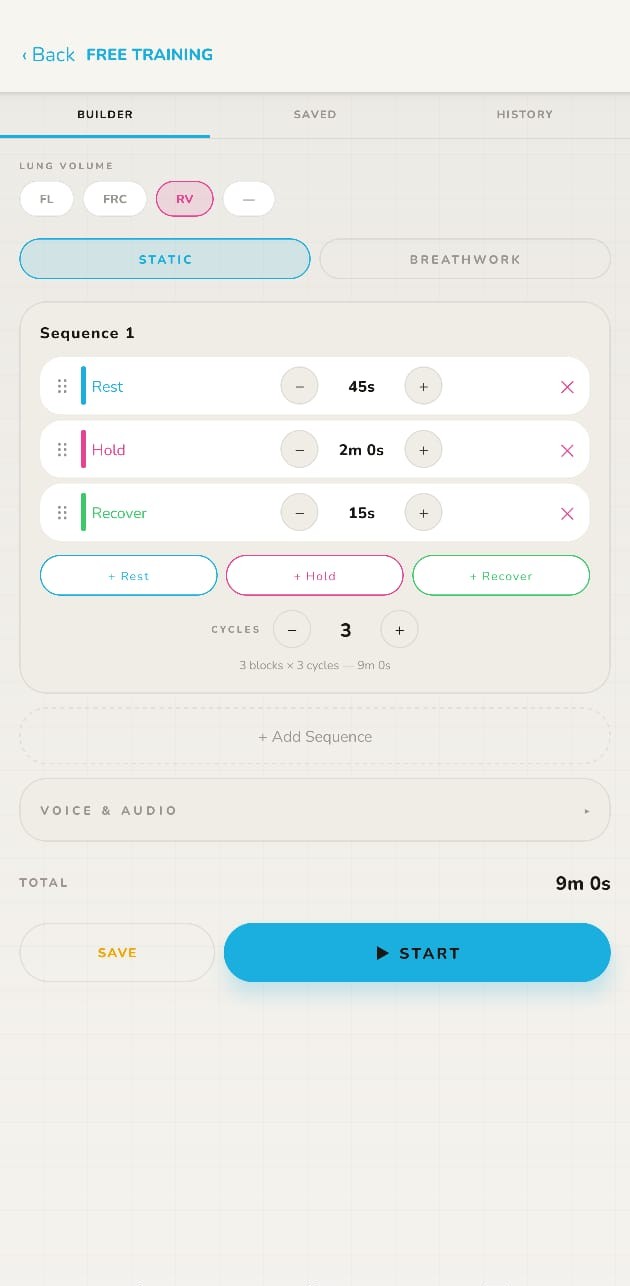
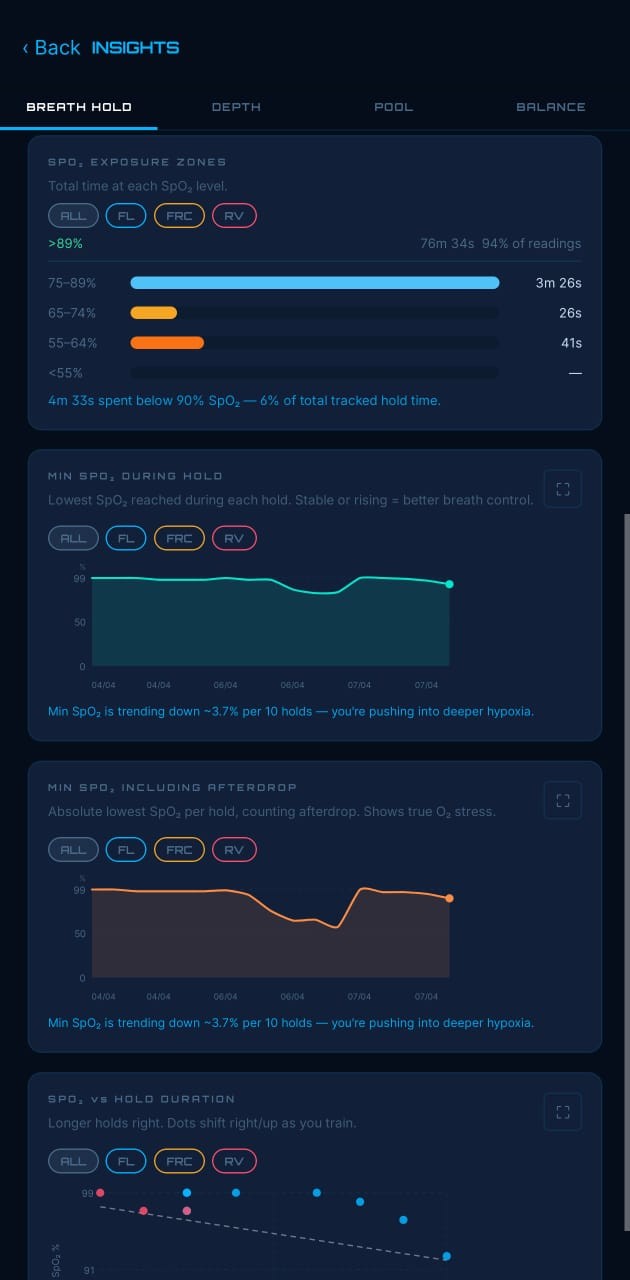
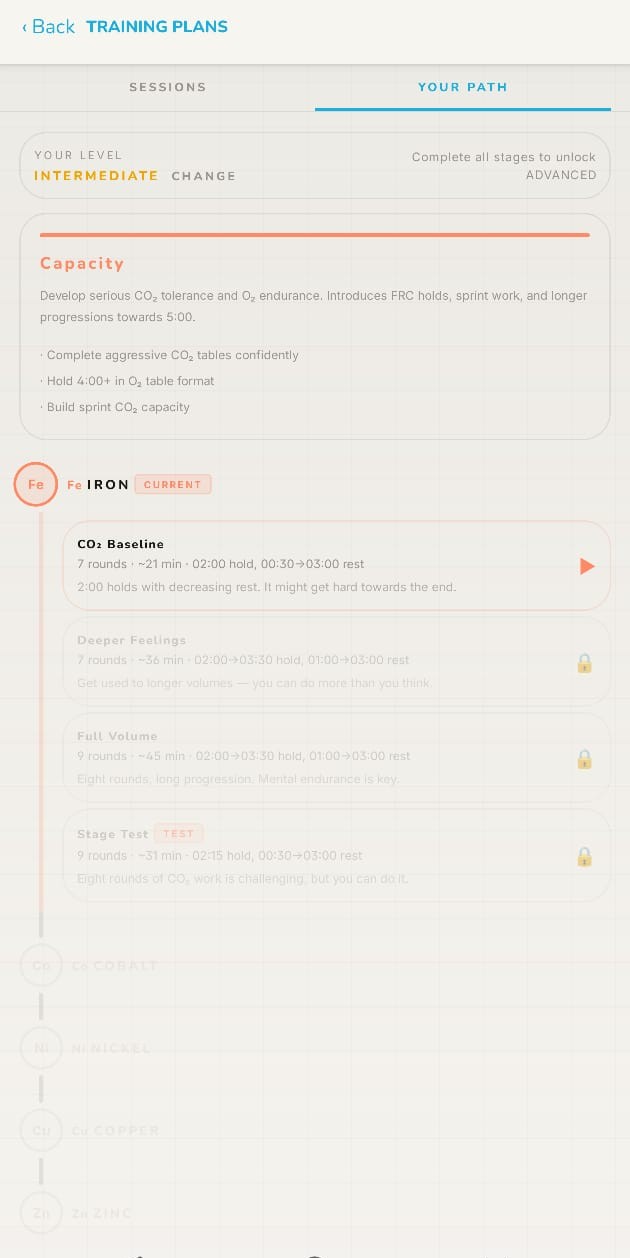
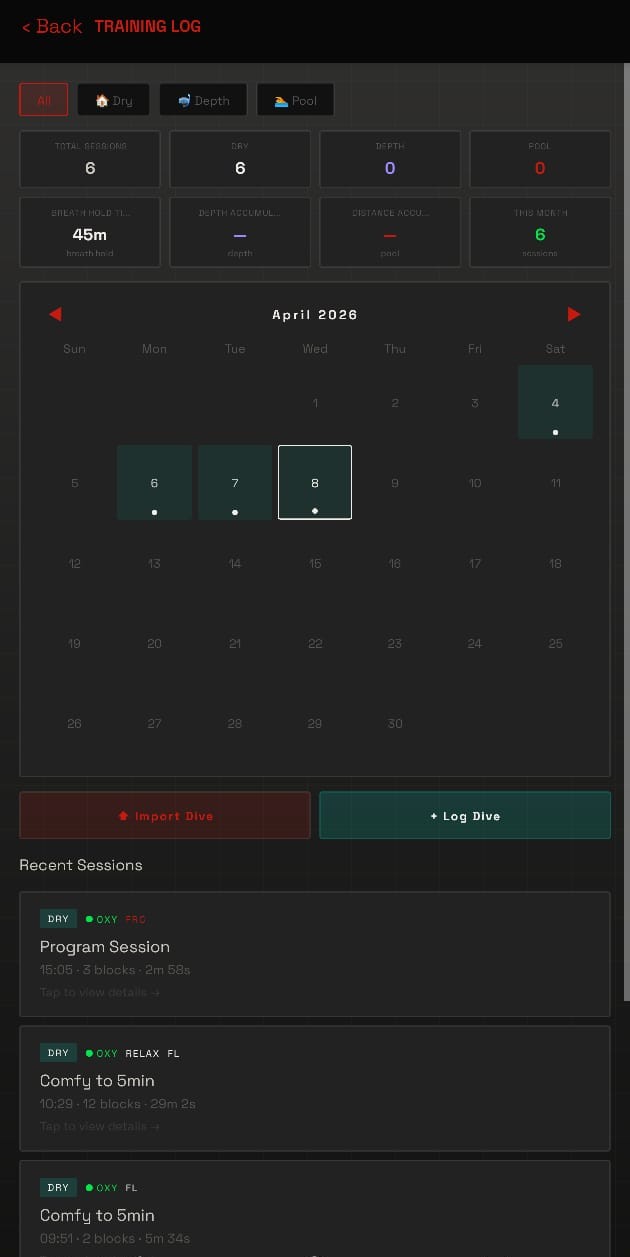
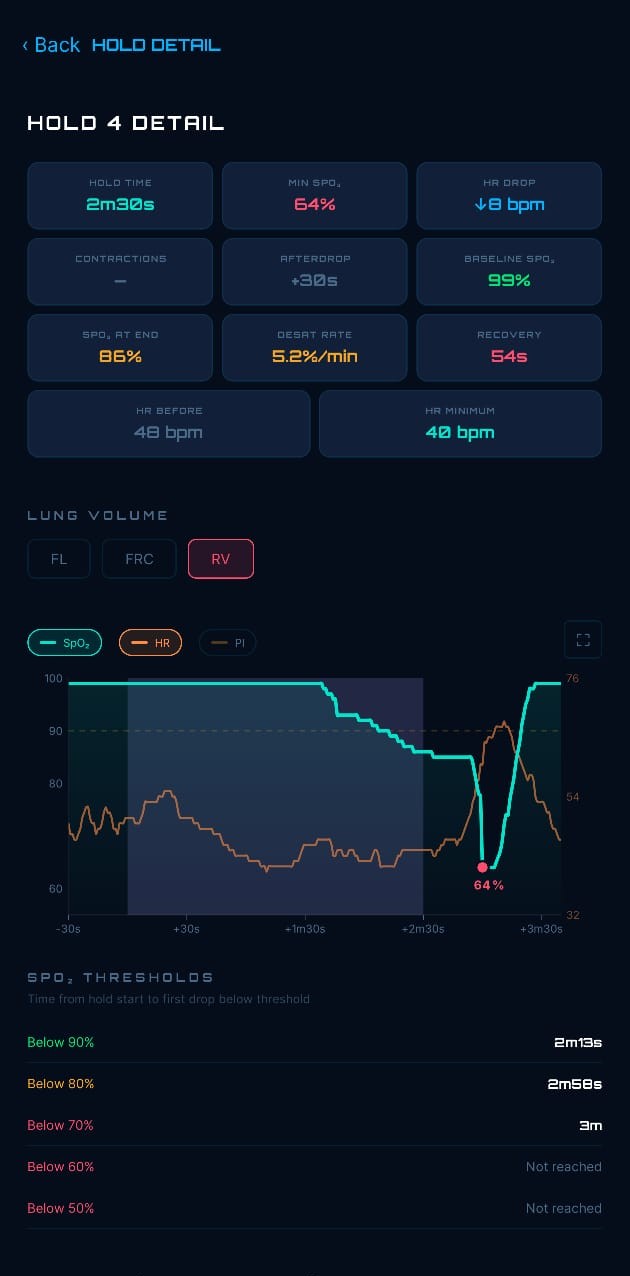
App plus dedicated hardware, built to work together. Here is where each part of the system stands today.
Training, logbook, analytics, and dive-computer import.
A dedicated equalization trainer.
Wearable dive tracking built for freedivers.
Live blood-oxygen and heart rate during breath-hold.
Planning → Design → Prototype → Beta → Released
ELEMENT | 08 talks to any device that speaks the standard Bluetooth Heart Rate Service (0x180D) for HR alone, or the standard PLX Continuous / Spot-Check service (0x1822) for SpO2 + HR.
On top of the standards, custom framings are supported for: BerryMed, Nonin 3230, Viatom / Wellue / CheckMe, the Masimo MightySat, and Nordic UART devices including BCI and Viatom PF-10AW / Vibeat. A HealthTree framing is also handled.
If your device is not on the list, the BLE Analyzer (next question) will usually still pick it up automatically by trying every known parser against the incoming frames.
Open Settings → Devices → BLE Analyzer, switch on your oximeter, and tap Scan Device. The analyzer captures every notify characteristic the device advertises and runs every known parser against the live frames.
After a few seconds tap Share Scan List and send it to support. Many of the formats above were added this way.
FIT import covers the Garmin Descent family (G1, G2, Mk1, Mk3, Mk3i). Suunto is supported via both FIT and the older SML (DM5) export, so D4i and D6i both work. Shearwater and Oceanic computers are expected to work via UDDF but this path is currently untested, so get in touch if you have one to try. A generic dive-computer CSV import is also available for anything else with a time + depth column.
Each file is imported one at a time today. The good news: a single FIT / SML / UDDF file can carry multiple sessions, and the parser will expand them into separate logbook entries.
From Garmin Connect you can either export individual activities (one .fit each) or request the full account data export and import each .fit from the unzipped archive. Multi-file selection is on the roadmap.
All of it stays on your device. Your dives, holds, SpO2 traces, plans, and notes are never uploaded to any ELEMENT | 08 server. The only network traffic the app makes is to RevenueCat (to check your subscription state when you open the paywall) and to Expo (to fetch over-the-air JS updates).
Backups go where you send them: Files, AirDrop, email, or your own cloud of choice. See the full Privacy Policy for the exact list.
No. The breath-hold timer, custom tables, breathwork, guided sessions, season plans, and dive-computer logbook all work without any BLE hardware. An oximeter adds live SpO2, heart rate, and PI to the session timeline and unlocks post-session SpO2 analysis. Everything else is unaffected.
A hang is a stationary segment in the depth profile where you hold depth. A sliding window scans the profile and a sample only counts as stationary if (a) it does not jump suddenly relative to the previous sample, (b) the depth range inside the window stays under the wave-oscillation tolerance, and (c) the linear slope through the window is close to zero.
Short stationary runs during a continuous ascent or descent are kick-glide rhythm and are dropped automatically. Only directional turnarounds (descent into the run, ascent out of it, or vice versa) are kept. A hang whose average depth is within 2 m of your deepest point is classified as a bottom hang; everything else is an off-bottom hang. Phase times (descent, hang, ascent) are split on the first and last detected hang.
Each is an average vertical speed for the moving part of the dive: the depth covered divided by the time spent moving, with any bottom hang excluded. The dive is split into descent, hang, and ascent (see the hang question above), so a pause at depth never makes your descent or ascent look artificially slow.
When your dive computer records its own per-second vertical-speed values (for example Garmin), the app averages those across the moving samples. Otherwise it uses max depth divided by the phase time. For manually entered dives it uses the descent / ascent time (or speed) you logged, falling back to an estimate if you logged neither.
Because the bottom hang is removed, these speeds can read slightly faster than a simple "depth over time-to-the-bottom" worked out by hand. That is intentional and reflects how fast you were actually moving.
Sometimes a long pool attempt surfaces briefly mid-attempt and the watch splits it into two consecutive dives. The merge function combines them back into a single continuous record.
Open the session, pick a dive, and choose Merge with next. The surface interval between the two becomes part of the total dive time. Distance and lap times concatenate; contractions are time-shifted into the merged timeline; HR is linearly interpolated across the break so the chart stays coherent. The original dives' metadata follows the first dive (discipline, lung volume, rating, remarks).
The core app is free, with no mandatory subscription. Optional Pro features unlock advanced analytics, additional custom training programs, and the full guided-session library. You can train seriously on the free tier.
Dry breath-hold training (sitting still, no water) can be done at home and is what the timer, tables, and breathwork modes are built for. Even so, do not push to your absolute limits on dry without a buddy present.
Never train in or near water alone. Breath-hold training in water carries real risks including blackout, and always requires a trained buddy supervising you directly at arm's length. ELEMENT | 08 supports your training. It does not replace certified instruction or medical advice.
Full list of contraindications and safety guidance: Safety & Contraindications.
Now on the App Store and Google Play.
Training with a Garmin Descent or fenix? Install the watch app